Try On Clothes Before Buying

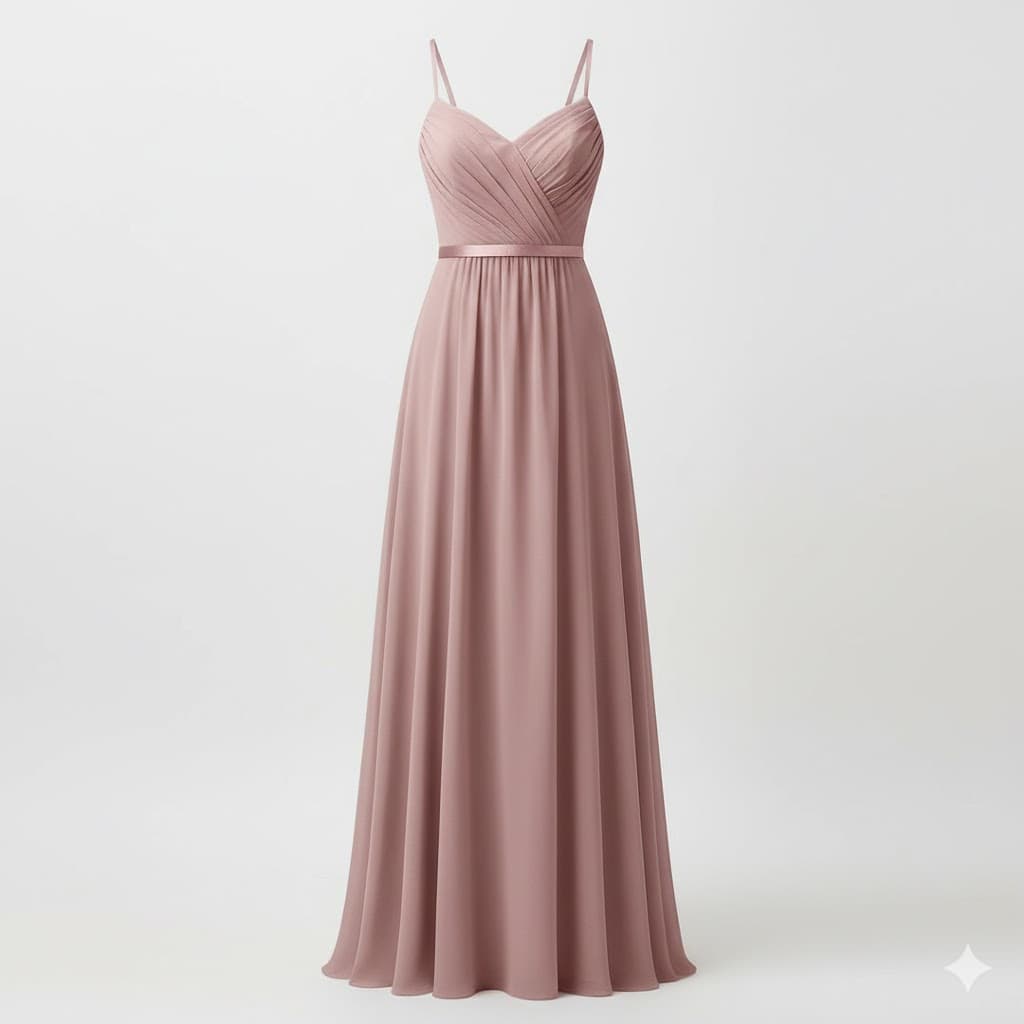
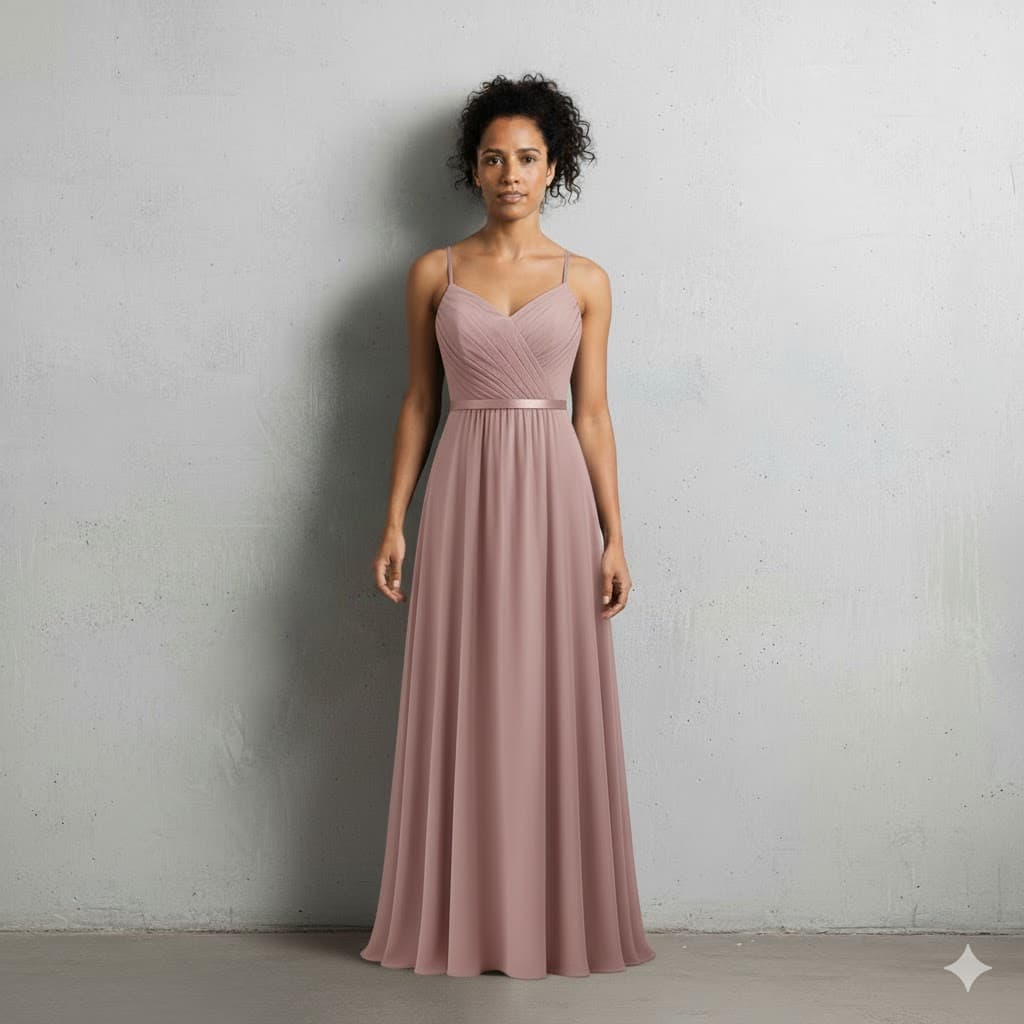
Stop guessing how clothes will look on you. Upload your photo, add any outfit from any store, and see a realistic AI preview in seconds. Try on clothes before buying online with our virtual fitting room app. See how clothes look on you, preview outfits before purchasing, and use our AI clothing preview to shop with confidence. Works as an online fitting room, virtual dressing room, and outfit visualization tool on any device.

How Virtual Try-On Before Buying Works

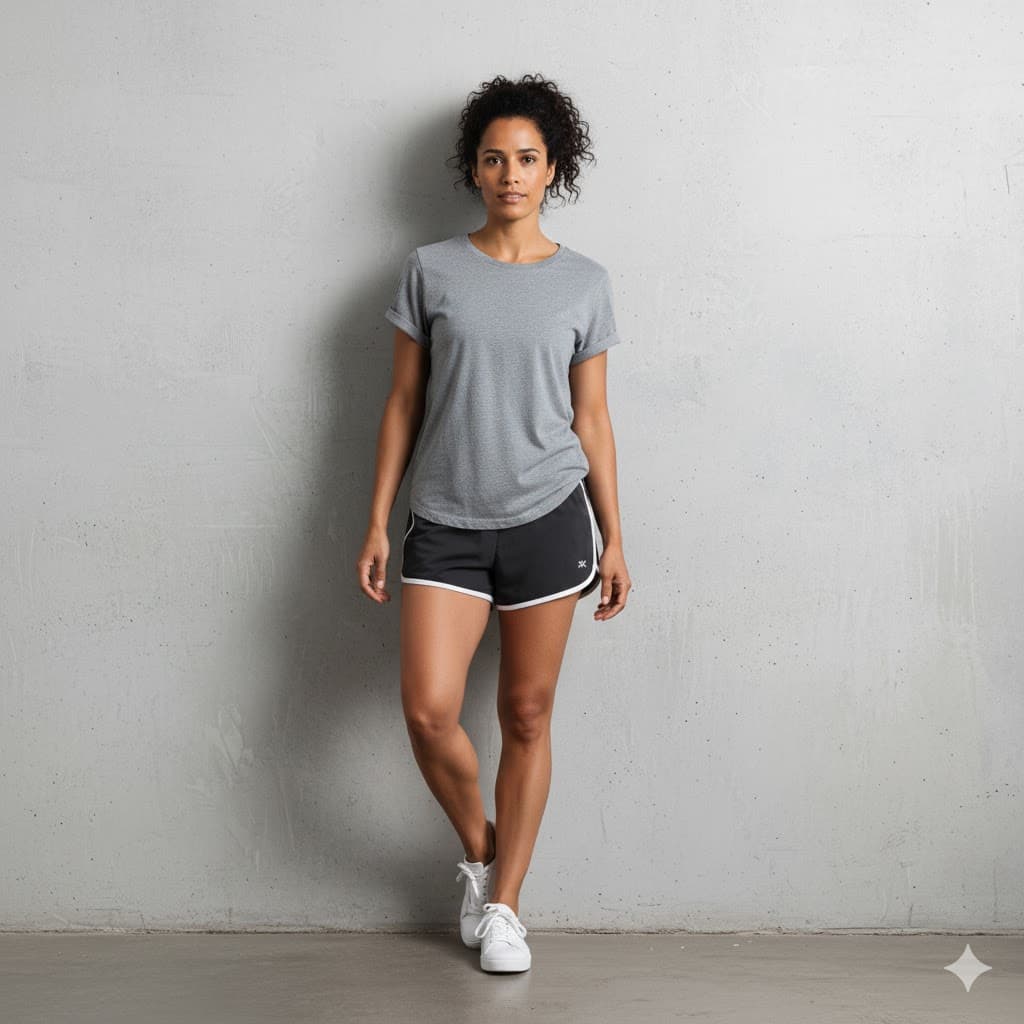
  1. Upload a clear, full-body photo of yourself.
  2. Add an image of any clothing item from any website, brand, or store.
  3. See a realistic AI-generated preview of how the outfit looks on you in seconds.

Features

Upload Any Photo

Take a selfie or use an existing photo. Works with any clear full-body shot, every body type and size.

Try From Any Store

Screenshot clothes from any website, brand, or store. Upload the image and try it on instantly.

Instant AI Preview

Our AI shows how clothes look on your body in seconds. See fit, color, and style before you spend a dollar.

Virtual Fitting Room

Like having an online fitting room at home. Preview outfits before purchasing without leaving your couch.

Compare Outfits

Save try-on results and compare different outfits side by side. Make confident purchase decisions.

Works Everywhere

Try on clothes on your phone, tablet, or desktop. Available as a web app and on iOS.

Why Try On Clothes Before Buying Online

  • See how clothes look on you before spending a dollar
  • Try clothes from any website, brand, or store
  • Reduce returns by previewing outfits before purchasing
  • Upload your photo and try on clothes instantly with AI
  • Works as a virtual fitting room app on phone, tablet, or desktop
  • Every body type and size supported
  • Compare outfits side by side to make confident decisions

Frequently Asked Questions

How does virtual try-on work?

Upload a clear, full-body selfie and an image of any clothing item you want to try. Our AI analyzes both images and generates a realistic preview showing how the outfit looks on your body — including fit, color, and style. Results are ready in seconds.

Can I try on clothes from any website?

Yes. Screenshot or save an image of any clothing item from any website, brand, or store. Upload that image to TryDrobe and see how it looks on you instantly. It works with any clothing image.

How accurate are the try-on results?

The AI produces realistic previews that show how the outfit fit, color, and overall style look on your body shape. While textures and exact details are approximated, shoppers consistently use the results to make confident purchase decisions and reduce returns.

What body types does it work with?

Every body type and size. Our AI is designed to work with all body shapes and sizes, from petite to plus size. Upload any clear full-body photo and get accurate try-on results regardless of your body type.

Is my photo safe?

All photos are securely stored with encryption. Images are processed solely for generating your try-on results and are never shared, sold, or used to train AI models. You can delete your photos at any time.

How much does it cost?

Plans start from $12.99/month and include monthly try-on credits along with features like your digital closet and outfit planner. Choose the plan that fits your shopping habits.

Can I use it on my phone?

Yes. TryDrobe works on any device through the web app — phone, tablet, or desktop. We also have a dedicated iOS app available for download. Try on clothes anywhere, anytime.

Related

AI-Powered Virtual Fitting Room

Try On Clothes Before Buying

See how clothes look on you before spending a dollar. Upload your photo, add any outfit from any store, and get a realistic AI preview in seconds. Your personal online fitting room.

Paid plans available · Cancel anytime
Upload your photo for virtual try-on before buying

Your Photo

+
Any clothing item to try on before buying

Any Outfit

=
AI virtual try-on result — see how clothes look before buying

AI Result

Results in

Seconds

How It Works

Three simple steps to try on clothes before buying online.

Upload a full-body photo for virtual clothes try-on
Step 01

Upload Your Photo

Take a full-body selfie or use an existing photo. Any clear shot works — no special setup or studio lighting needed.

Select any clothing item to try on before buying
Step 02

Add Any Clothing Item

Screenshot or save an image of any outfit from any website, brand, or store. Upload it and try it on instantly.

AI-generated virtual try-on result showing clothes on you
Step 03

See How It Looks on You

AI generates a realistic preview in seconds. Save results, compare outfits side by side, and buy with confidence.

Your Personal Online Fitting Room

See how any outfit looks on you before buying. Try clothes from any store, any brand, on any device.

Upload Any Photo

Any clear full-body photo works. Every body type and size supported — no special setup needed.

Try From Any Store

Screenshot clothes from any website, brand, or retailer. Upload the image and try it on instantly.

Instant AI Preview

See how clothes look on your body in seconds. Check fit, color, and style before you spend a dollar.

Virtual Fitting Room

Like having an online fitting room at home. Preview outfits before purchasing without leaving your couch.

Compare Outfits

Save try-on results and compare different outfits side by side. Make confident purchase decisions every time.

Works Everywhere

Try on clothes on your phone, tablet, or desktop. Available as a web app and on iOS — shop smarter from anywhere.

Frequently Asked Questions

Common questions about trying on clothes before buying online.

Still have questions?

Contact Support

Ready to try before you buy?

Upload your photo, try on any outfit from any store, and see a realistic preview in seconds. Shop smarter with your personal virtual fitting room.