Virtual Wedding Dress Try-On at Home

Wedding dress shopping from home with AI-powered virtual try-on. Upload your photo and any dress image to see a realistic bride-to-be dress preview in seconds — no appointment, no salon visit. Try on wedding gowns, bridesmaid dresses, and mother of the bride outfits virtually. Compare silhouettes, preview engagement outfits, and share results with your wedding party before committing to an in-store fitting.

How Virtual Wedding Dress Try-On Works

  1. Upload a clear, full-body photo of yourself.
  2. Add an image of any wedding dress from any designer, store, or website.
  3. See a realistic AI-generated preview of how the dress looks on you in seconds.

Features

Upload Your Photo

Take a full-body selfie or upload an existing photo. Works with any clear photo of you — no special setup required.

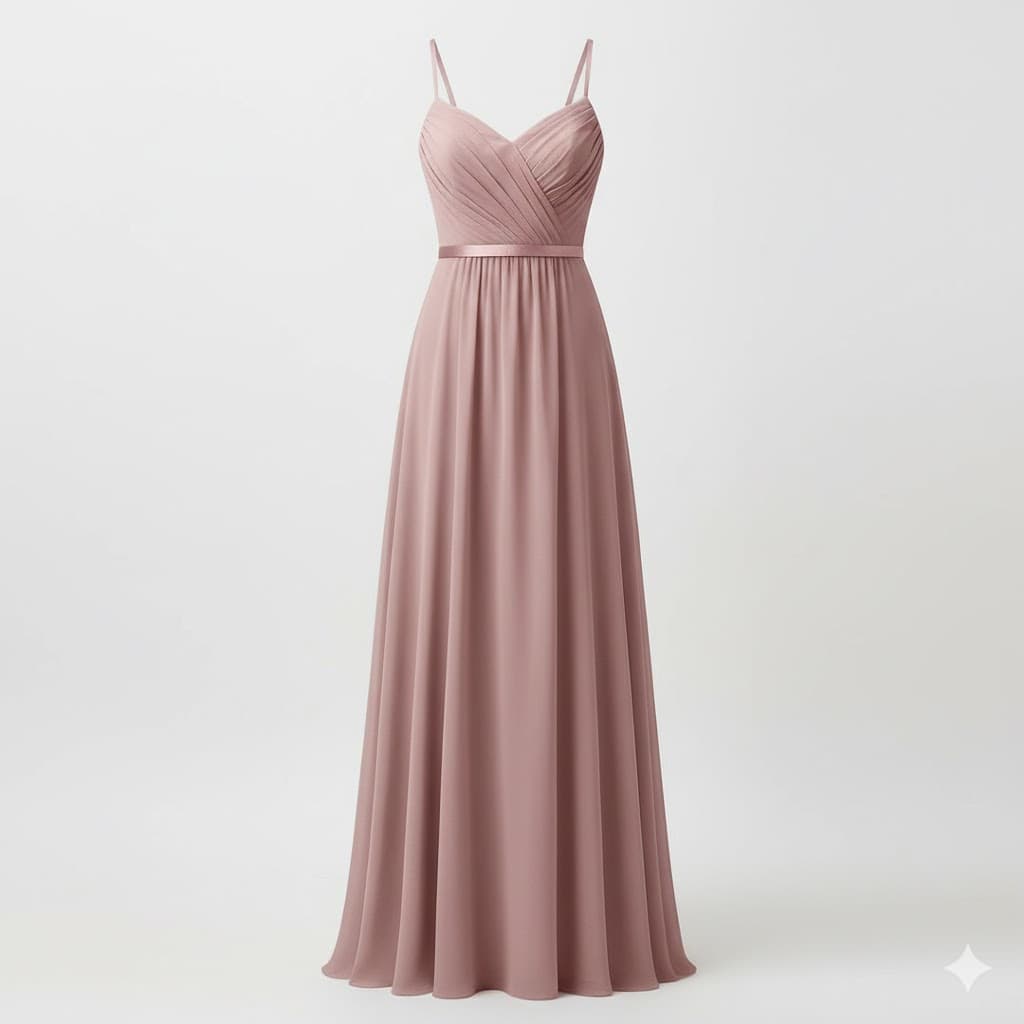
Add Any Wedding Dress

Screenshot or save a photo of any wedding dress from any designer, store, or website. Upload it and try it on virtually.

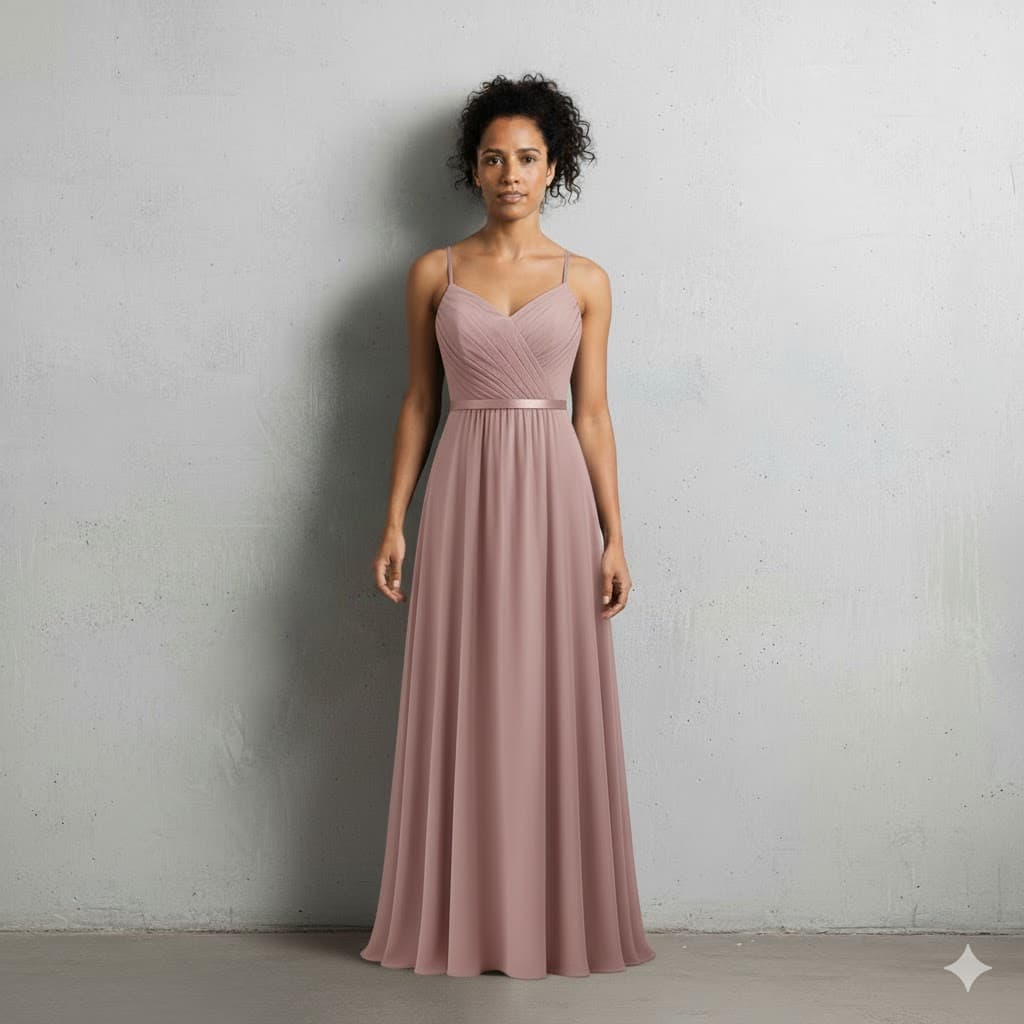
See Realistic Results in Seconds

AI generates a realistic preview showing exactly how the wedding dress looks on your body — from neckline to hemline.

Try Multiple Styles

A-line, mermaid, ballgown, sheath, tea-length — plus engagement outfits and wedding guest attire. Try as many styles as you want without booking a single appointment.

Compare Side by Side

Save try-on results and compare different dresses next to each other. Narrow down your favorites before visiting a salon.

Share with Your Circle

Download your virtual try-on images and share them with bridesmaids, family, or your partner for opinions.

Why Try On Wedding Dresses Virtually at Home

  • Skip the waiting list — try dresses immediately from your couch
  • Try any designer, any style, from any website
  • Compare multiple silhouettes side by side
  • Share realistic previews with bridesmaids, mother of the bride, and your whole wedding party
  • Narrow your shortlist before visiting a bridal salon
  • No pressure, no appointments, no travel required
  • Bridesmaid dress try on online — your whole bridal party can preview their outfits too

Frequently Asked Questions

How does virtual wedding dress try-on work?

Upload a full-body photo of yourself and an image of any wedding dress you want to try. Our AI analyzes both images and generates a realistic preview showing how the dress looks on your body — including how the fabric drapes, the neckline fits, and the silhouette flatters your figure. Results are ready in seconds.

What photos work best for bridal try-on?

A clear, full-body photo taken in good lighting works best. Stand facing the camera with your arms relaxed at your sides. Avoid heavy jackets or loose clothing that hides your figure — a fitted top and pants or a simple dress gives the most accurate results.

Can I try different wedding dress styles?

Yes — you can try on as many dress styles as your plan allows. Upload images of A-line, mermaid, ballgown, sheath, fit-and-flare, tea-length, or any other silhouette. Many brides use this to narrow down their preferred style before visiting bridal salons in person.

Is this the same as an in-store bridal fitting?

A virtual try-on gives you a realistic visual preview of how a dress looks on you, but it cannot replicate the tactile experience of feeling the fabric, checking the exact fit, or having a consultant adjust the dress. We recommend using virtual try-on to shortlist dresses, then visiting a salon for your top picks.

Can I try on dresses from any designer or store?

Yes. Simply screenshot or save an image of any wedding dress from any designer website, bridal boutique, Pinterest board, or Instagram post. Upload that image and see how it looks on you. It works with any dress image.

How accurate are the virtual try-on results?

The AI produces realistic previews that show how the dress silhouette, neckline, and overall style look on your body shape. While colors and fabric textures are approximated, brides consistently use the results to confidently narrow their shortlist before salon visits.

Is my photo kept private?

All photos are securely stored with encryption. Images are processed solely for generating your try-on results and are never shared, sold, or used to train AI models. You can delete your photos at any time.

Do I need an account to try it?

Yes, an account is required. Try-ons are available on paid plans, which also include additional features like the digital closet and outfit planner.

Can bridesmaids and mothers of the bride use virtual try-on too?

Yes! Virtual try-on works for everyone in the wedding party. Bridesmaids can try on bridesmaid dresses online, mothers of the bride can preview their outfits, and wedding guests can see how formal attire looks on them — all from home.

Related

AI-Powered Virtual Bridal Fitting

Try On Wedding Dresses From Home

Wedding dress shopping from home made easy. Upload your photo, add any dress image, and see a realistic bride-to-be dress preview in seconds. No appointment, no salon visit — try on bridal gowns, bridesmaid dresses, and more.

Paid plans available · Cancel anytime
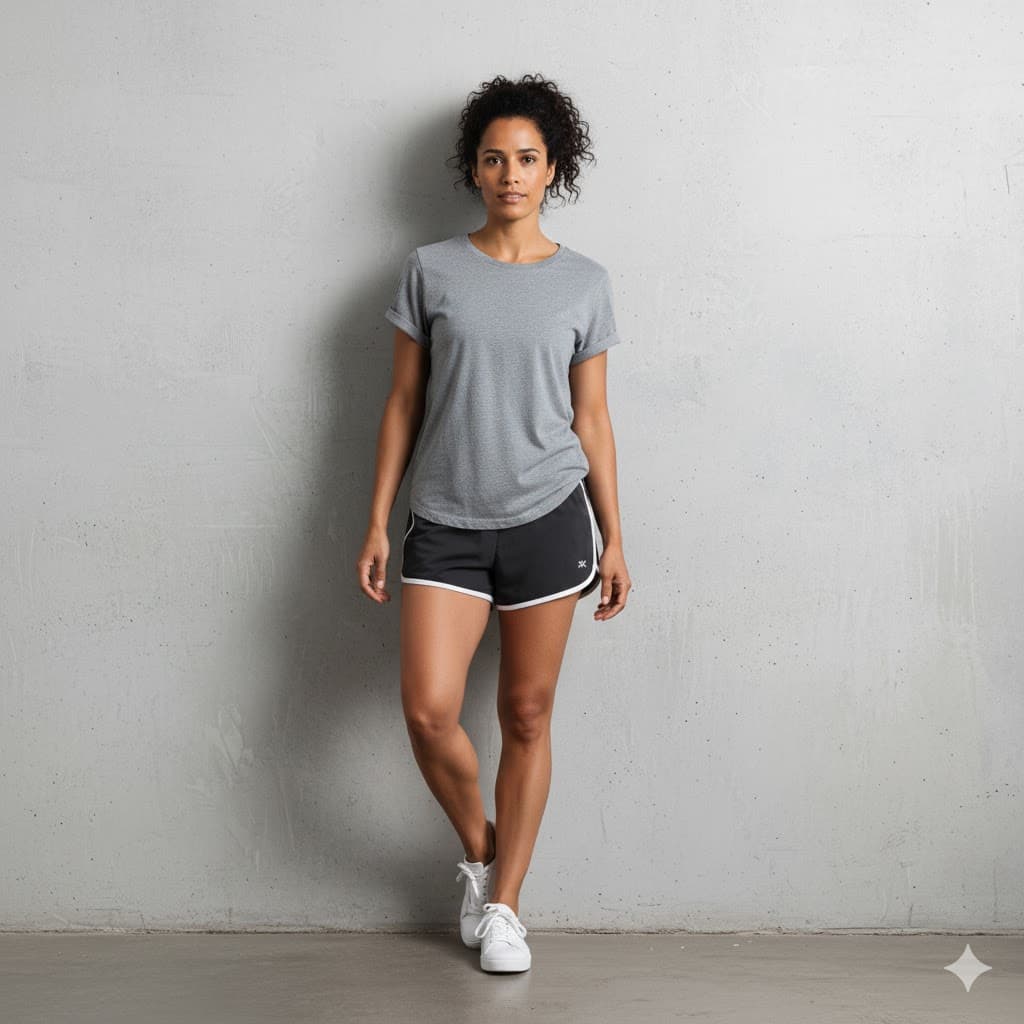
Bride photo for virtual wedding dress try-on

Your Photo

+
Wedding dress to try on virtually

Wedding Dress

=
AI virtual wedding dress try-on result

AI Result

Results in

Seconds

How It Works

Three simple steps to try on wedding dresses virtually from home.

Upload a full-body photo for virtual wedding dress try-on
Step 01

Upload Your Photo

Take a full-body selfie or upload an existing photo. Stand in good lighting with arms relaxed — that's all the AI needs.

Select a wedding dress image for virtual bridal fitting
Step 02

Add a Wedding Dress

Screenshot or save any wedding dress from a designer site, Pinterest board, or Instagram. Upload the image to try it on.

AI-generated virtual wedding dress try-on result
Step 03

See Your Bridal Look

AI generates a realistic preview in seconds. Save the result, compare styles, and share with bridesmaids and family.

Everything You Need to Find The Dress

Wedding dress shopping from home gives you the freedom to explore every style on your terms — from bridal gowns to bridesmaid dresses.

Upload Your Photo

Any clear full-body photo works. No special setup, lighting rigs, or studio needed.

Add Any Wedding Dress

Screenshot dresses from any designer, boutique, or social feed. Works with any image.

Realistic Results in Seconds

AI shows how the dress neckline, silhouette, and fabric look on your body shape.

Try Multiple Styles

A-line, mermaid, ballgown, sheath, tea-length — explore every silhouette without booking appointments.

Compare Side by Side

Save results and compare different dresses together. Narrow your shortlist before visiting a salon.

Share with Your Circle

Download try-on images and share with your bridal party. Bridesmaids and mother of the bride can try on their outfits too.

Frequently Asked Questions

Common questions about virtual wedding dress try-on at home.

Still have questions?

Contact Support

Ready to find your dream dress?

Upload your photo, try on any wedding dress, and see a realistic preview in seconds. Choose a plan and start trying on looks instantly.